
# Projects and Versions
# Project
A BESS project has a name, an address (including council) and a unique 'base' ID (e.g. 11579CD9). All subsequent versions of this project share these characteristics.
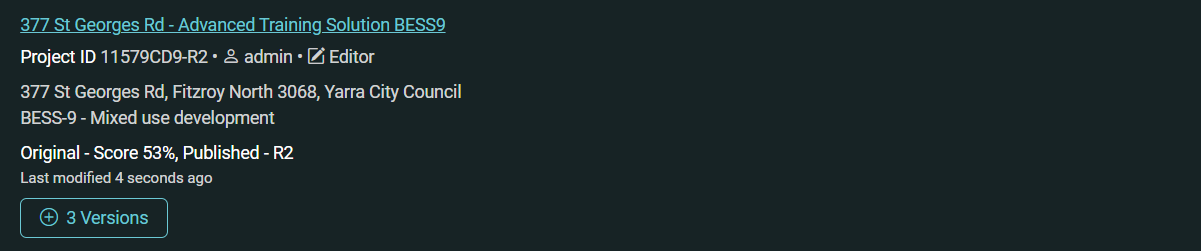
Example: On the Projects page, this example project name is '377 St Georges Rd - Advanced Training Solution BESS9' and the base ID is 11579CD9. There are three versions, as indicated by the '+ 3 versions' button. Use this button to show / hide the versions.
# Project Version
When a project is first created, this is known as the 'Original' version.
A project can have one or more versions. Each version shares the same base project ID, but has its own version 'suffix'.
- A suffix that is V2, V3 et cetera means that version's status = draft
- A suffix that is R1, R2 et cetera means that version's status = published
The 'original' version has no V1 suffix, but will have an 'R' suffix when published.
A project can have unlimited versions. The project ID (including version suffix) is included on the BESS report.
# View all versions
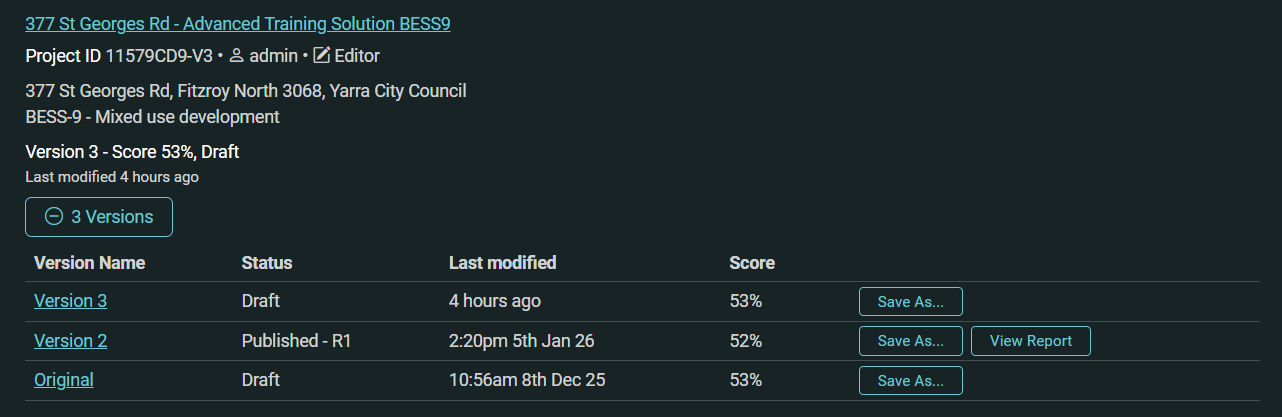
On the Projects tab, projects with more than one version have a button '+ # Versions' - use this to show / hide the versions for that project.
Example: In the expanded view, the three versions for this project are shown: Original, Version 2 and Version 3. These are ordered (top to bottom) according to date last modified. Version 2 is published (11579CD9-R1). The other two versions are draft. If one of these were published, it would become 11579CD9-R2.
# Creating a new project version
To create a new project version, 'Save As' to a new version from any existing project version.
Do this from the Projects page (shown in previous screenshot), or from the project sidebar:
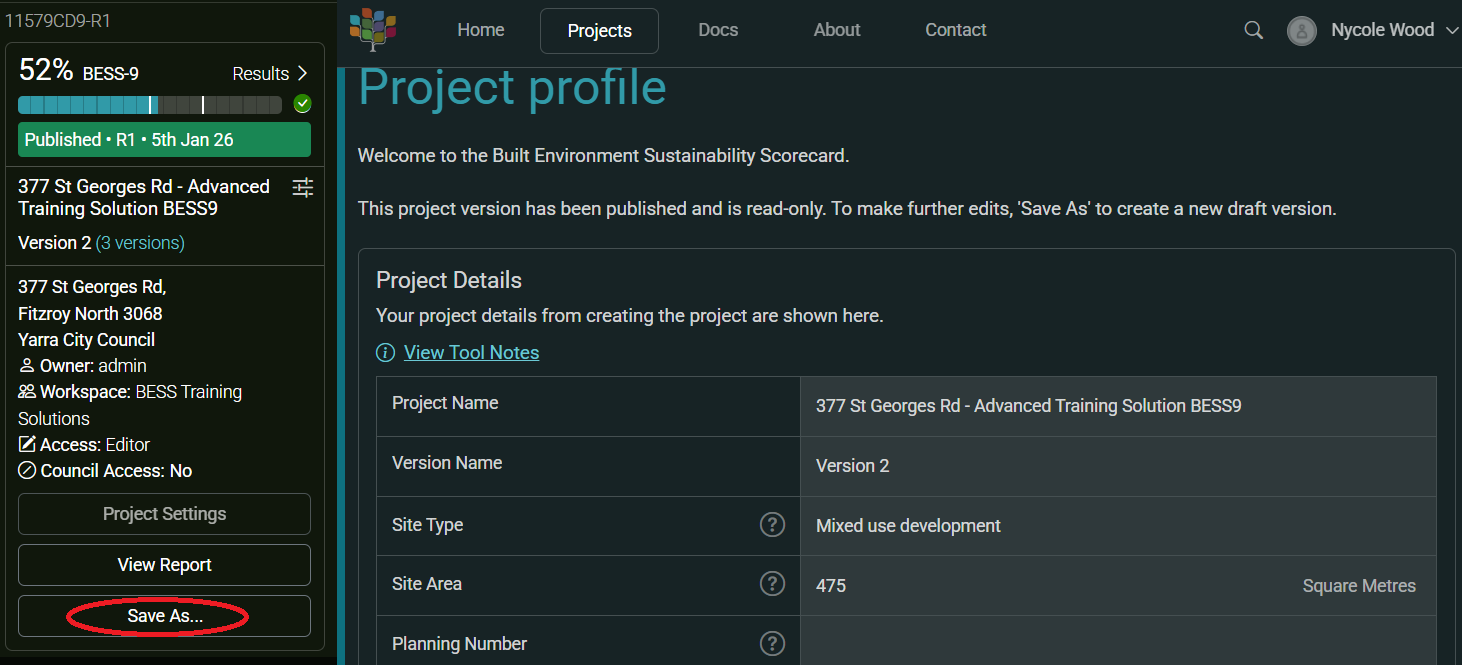
Select 'Save As' and choose 'A new version' in the dialog box. You can name your new version or leave this as default. The new version will be created - it will have the same base project ID and the next available version suffix (e.g. V4 in our example).
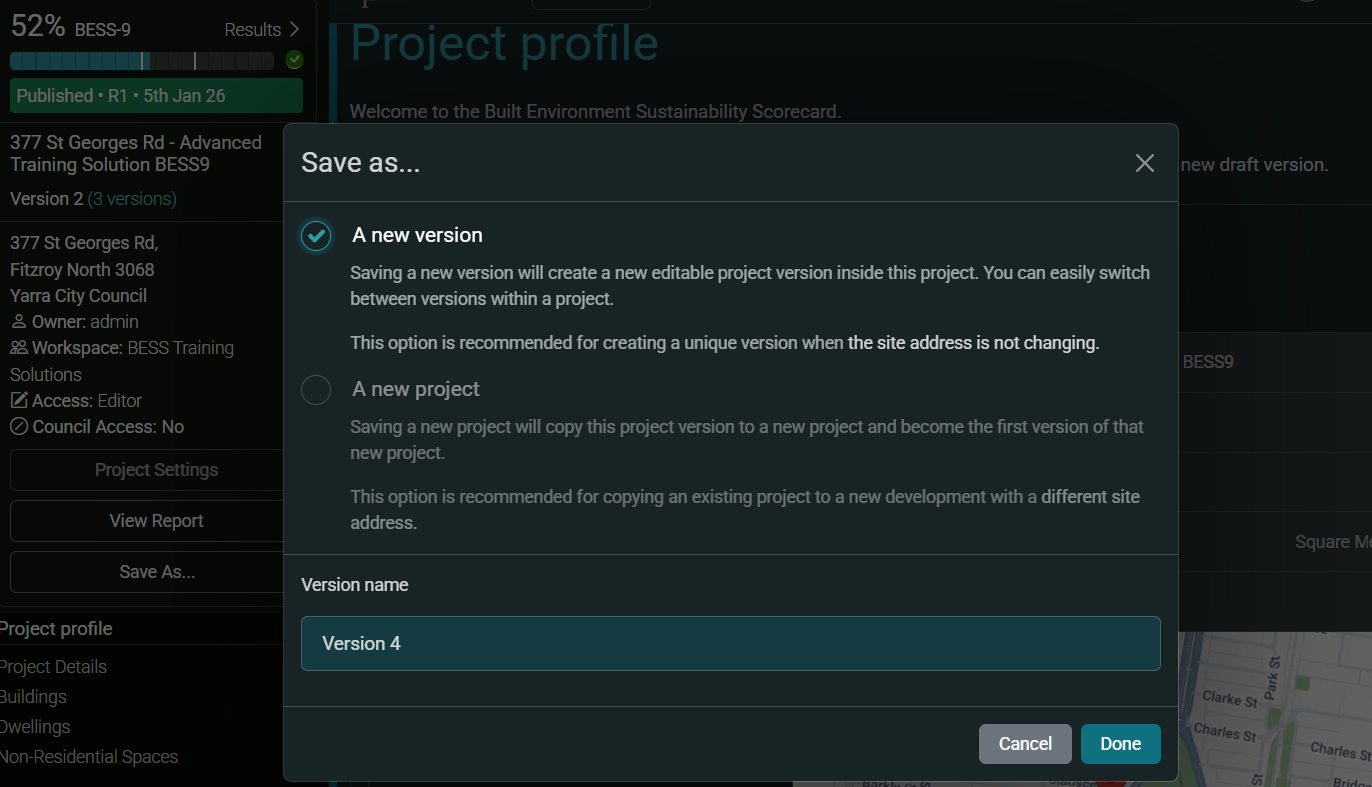
(If you chose to 'Save As' to a new project, this would create a project with a new base project ID and one version (Original). This may be useful if you are doing a BESS assessment for a similar development at a different address).